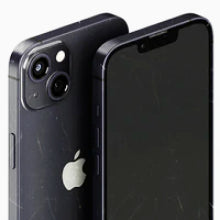




A used iPhone can look perfect and still hide a fault. Testing is how you find it.
Some faults are easy to spot. A cracked screen jumps out the moment you pick the phone up. Others stay hidden until you need them: a microphone that cuts out on your first call, or Face ID that won't recognise you.
At OzMobiles, every phone that comes through our testing lab is checked with Phonecheck. We pulled the results for more than 100,000 iPhones to see which faults we find most often.
Here are the top 10, counting down to the one we find most. Can you guess it? Each fault comes with the models it hits hardest and a quick way to check for it yourself.
10 to 8: rare, but you would notice every day
The bottom three are the least common faults on the list. Each one turns up in fewer than 1 in 75 iPhones, but you would feel them every time you reach for the phone.
Buttons that play dead
1 in 214
You press the side button. The screen stays on.
Worst: iPhone 8 Plus, 1 in 68
An earpiece that goes quiet
1 in 130
Music sounds fine. Calls come through faint or crackly.
Worst: iPhone 7, 1 in 37
Touch ID that forgets you
1 in 77
You tap to pay. Your finger gets rejected. Again.
Worst: iPhone 8 Plus, 1 in 70
7 to 5: the faults hiding under perfect glass
These are the sneaky ones. You can turn the phone over in your hands, see no crack, no scratch, nothing, and still be holding a fault.
Phones with this fault whose glass passed our check
The camera that ruins the shot 1 in 50 iPhones
Pro models have the most lenses to go wrong. The twist: the iPhone 13 mini, from the same year as the worst offender, is the safest of all.
Screen faults under perfect glass 1 in 45 iPhones
Dead spots, lines, touch that misses or brightness that won't hold. The fault sits in the display underneath, not the glass on top.
How we catch them
Every phone, the same 80-point test
This is our testing bench. Each phone runs through Phonecheck, which tests everything from the cameras to the buttons, the faults on this list included.
That is how we find the faults nobody can see from the outside.
4Face ID that stops recognising you
No unlock, no tap to pay, no saved passwords. Face ID failed on 1 in 40 iPhones we tested, and more than 9 in 10 of those phones had glass that passed our check. Nothing on the outside gave it away.
3Non-genuine parts hiding inside
A past repair swapped in a part that isn't Apple's, and the seller might not even know. We found one in 1 in 29 iPhones.
On the iPhone XR, XS and later, Settings > General > About shows Parts and Service History. Unknown next to a part means it isn't genuine, or isn't working as expected.
2Cracked glass: the one you can see coming
Two to go, and the good news first: this one can't hide. 1 in 24 iPhones came in with damaged glass. The ones people miss are small chips at the edges and cracks on the back, so tilt the phone under a bright light and run a fingernail around the frame.
A worn battery living on borrowed time
Did you guess it? 1 in 9 iPhones came in under 80% battery health, nearly three times as often as cracked glass. And it's the one you'd feel every single day.
iPhones under 80% battery health, by model
Age does most of the damage. On the iPhone XS, 11 Pro and 11, about 1 in 3 had a worn battery. From the iPhone 15 on, it was rare. Our iPhone battery health guide breaks it down model by model.
Your 2-minute check before you buy
Every fault above, in one list. Run through it on any used iPhone before you hand over money.
- Battery. Settings > Battery > Battery Health & Charging. Under 80% Maximum Capacity is worn.
- Glass. Tilt it under a bright light. Check the front, the back, the lenses and every edge.
- Parts. Settings > General > About > Parts and Service History (iPhone XR, XS and later). Unknown means not genuine.
- Face ID or Touch ID. Set it up, then lock and unlock the phone a few times.
- Screen. Open a plain white page, then a black one. Look for spots or lines, then drag an app icon into every corner.
- Cameras. Try every lens and the front camera, and film a few seconds on each.
- Microphones. Record a Voice Memo and play it back. Your voice should be clear.
- Earpiece. Speaker off, call your voicemail, hold it to your ear.
- Buttons. Press every button and flick the switch. Each should respond straight away.
Samsung Galaxy and Google Pixel have their own scares
We test Galaxy and Pixel phones the same way, and their top faults look nothing like the iPhone's.
Samsung Galaxy
Google Pixel
The Galaxy's top fault is one you'd never think to test: the proximity sensor, which turns the screen off at your ear so your cheek doesn't hang up the call. It failed on about 1 in 9 Galaxy S23 Ultra phones. The big Ultras also led for damaged glass, 1 in 15 on the Galaxy S21 Ultra.
The Pixel's scariest number is the blacklist. A blacklisted phone was reported lost or stolen, and no Australian network will connect it. We found it on 1 in 89 Pixels, about ten times the iPhone rate.
How to check a Galaxy or Pixel
Dial *#06# to see the phone's IMEI, then enter it in the AMTA handset checker to see if it's blocked. Make a call and hold the phone to your ear: the screen should go dark. On a Galaxy, the diagnostics in the Samsung Members app can test the rest.
How we tested more than 100,000 iPhones
Every phone that comes through our testing lab goes through the same 80-point test, the one in the video above.
The figures come from phones tested between August 2023 and September 2026. Each phone counts once, on its first test with us, so these are phones as they arrived.
So what happens to a phone that fails?
It goes to our technicians to be refurbished, and it only goes on sale once it passes our 80-point test. Every number above describes phones as they came in. Every refurbished iPhone we sell ships with at least 80% battery health, backed by our battery health guarantee, a 12-month warranty and 30-day returns.
Already have a phone? The checks above work on yours too. And if you're comparing refurbished phones, our guide to condition grades explains what each grade looks like.
Tested before it reaches you. Shop refurbished at OzMobiles.
Every refurbished phone we sell has passed our 80-point Phonecheck test, so the faults in this list are found and fixed before a phone ever reaches you.
OzMobiles is 100% Australian-owned and operated. The fault figures in this article come from the same lab that tests every refurbished phone we sell.


