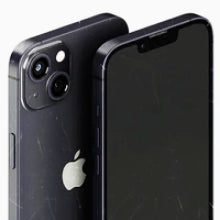




Which iPhone still has a Home button, and when was the last iPhone with a Home button released? The last iPhone with a Home button overall was the iPhone SE (3rd Generation), released in March 2022 with a solid-state Touch ID sensor. If you are searching for the last mechanically clicking Home button, that was the iPhone SE (1st Generation) in 2016.
OzMobiles sells fully tested, certified refurbished iPhones in Australia. Every device passes an automated 80-point diagnostic check, includes a 12-month warranty, and entitles you to remedies under the Australian Consumer Law. Here is everything you need to know, including a complete list of iPhones with a Home button.
What Was the Last iPhone With a Physical Home Button?
Here’s a quick guide to the last iPhone with a physical Home button and other important milestones, like when Apple removed the Home button:
-
Newest Touch ID Home Button Layout: iPhone SE (3rd Generation, 2022)
-
Last Clickable Physical Home Button: iPhone SE (1st Generation, 2016)
-
Flagship Home Button Removal Year: 2017 (introduced on iPhone X)
-
Primary Replacement Technology: Face ID gesture navigation on edge-to-edge OLED displays
When Steve Jobs introduced the world to the very first iPhone in 2007, he made the following statement about its home button: “It takes you home from wherever you are. And that’s it.” From the original iPhone through to the iPhone SE series, the home button allowed iPhone users to wake their device, execute shortcuts, close apps and return to their home screens with a single tap. Pressing the button made contact with a tactile metal dome that touched a circuit underneath, closing the electrical loop and sending a ‘home’ signal to the processor.
This mechanical button had many benefits. It would bring you back home no matter how deep you were into app usage or web browsing. If pressed along with the power button, it would force a frozen phone to restart.
Yet it also had its drawbacks. Being a mechanical device, it was always destined to wear down over time. Some Apple customers feared the button was fragile and could be broken too easily. To others, it represented an ingress point that could compromise the phone's waterproof status.
To protect against hardware wear or assist users with motor sensitivity, Apple introduced AssistiveTouch. This setting generates an adjustable digital Home button directly on the screen, allowing full gesture navigation without pressing a physical button. If you buy a pre-owned device, activating AssistiveTouch provides an instant on-screen backup on any iOS display. So, what was the last iPhone with a Home button, and when did Apple remove it from flagship models?
The first-generation iPhone SE was the last iPhone to feature this classic, clickable Home button. Apple permanently retired the Home button with the iPhone X screen redesign in 2017, but kept it alive in the more budget-friendly iPhone SE line.
The iPhone SE series continued to offer Touch ID until the iPhone SE (3rd generation) in 2022. To get your hands on the latest iPhone with a physical Home button or any other preferred model from the iPhone’s long history, take a look at OzMobiles’ refurbished iPhone range.
iPhone SE (1st Generation): The End of the Mechanical Click
The original iPhone home button was constructed with a small plastic resin cap, a rubber gasket, a metal dome switch contact, and a flexible ribbon cable linked to the logic assembly. The result was a physical button that provided a tactile pressing sensation. The iPhone SE (1st Generation), released in March 2016, was the last mechanically clicking home button Apple produced before transitioning to solid-state sensors on the iPhone 7.
iPhone 8 and the Age of the OLED Display
In 2017, Apple launched both the iPhone 8 and the iPhone X. While the iPhone 8 kept a Touch ID button powered by Apple’s Taptic Engine, the iPhone X removed the button entirely to create an edge-to-edge OLED display.
The iPhone 8 introduced Qi wireless charging while maintaining legacy bezel dimensions. For budget-conscious shoppers, a refurbished iPhone 8 offers an affordable entry point. Note that the iPhone 8 series used a solid-state Home button, mechanically identical to the iPhone 7, rather than a mechanical switch.
iPhone SE 3rd Generation: The Modern Touch ID Alternative
Released on March 18, 2022, the iPhone SE (3rd Generation) brought Apple’s A15 Bionic chip to the SE lineup. Introduced with the iPhone 13 range, the A15 Bionic processor is a 64-bit system-on-a-chip with a 16-core Neural Engine that can perform up to 15.8 trillion operations per second. The perks of this processor include super-fast speeds, high energy efficiency, strong graphics, AI capabilities and Touch ID-supported model features. The iPhone SE (3rd Generation) is now the newest iPhone with a home button still available.
In addition to boasting the more powerful A15 processor, the iPhone SE 3rd Generation combines 5G connectivity with a classic single-thumb navigation style. Apple’s iPhone SE range remains popular because it combines an affordable price, a pocket-friendly design and easy one-handed operation. On the refurbished market, a refurbished iPhone SE (3rd Gen) offers even greater value for money, as it is the last iPhone released with a home button.
Which iPhones Have a Home Button? Full List of Models
What was the last iPhone with a home button, what kind of home button did it have, and when was it released? OzMobiles has the answers for you.
Here’s a list of iPhones with home buttons and what kind of home buttons they have:
|
iPhone Model |
Release Year |
Button Mechanics |
Biometric Sensor |
|
iPhone (Original) to iPhone 3GS |
2007–2009 |
Mechanical Click |
None |
|
iPhone 4 to iPhone 5c |
2010–2013 |
Mechanical Click |
None |
|
iPhone 5s to iPhone 6s / 6s Plus |
2013–2015 |
Mechanical Click |
Touch ID (1st & 2nd Gen) |
|
iPhone SE (1st Generation) |
2016 |
Mechanical Click |
Touch ID (1st Gen) |
|
iPhone 7 / 7 Plus |
2016 |
Solid-State Capacitive |
Touch ID (2nd Gen) |
|
iPhone 8 / 8 Plus |
2017 |
Solid-State Capacitive |
Touch ID (2nd Gen) |
|
iPhone SE (2nd Generation) |
2020 |
Solid-State Capacitive |
Touch ID (2nd Gen) |
|
iPhone SE (3rd Generation) |
2022 |
Solid-State Capacitive |
Touch ID (2nd Gen) |
No matter what kind of device you buy, all certified refurbished mobile devices from OzMobiles undergo an 80-point PhoneCheck diagnostic at our Melbourne facility to verify Touch ID sensor functionality. OzMobiles is a dependable and reliable option for buying the latest iPhone with a home button.
What Is the Difference Between a Physical Home Button and Touch ID Solid-State Sensors?

While a physical home button has moving parts that press inward for that classic tactile pressing sensation, Apple’s solid-state home buttons use localised haptic feedback to mimic the action of a click. Haptic feedback refers to the use of motion and vibration to simulate the sense of touch, and it’s powered by Apple’s Taptic Engine. When you interact with the buttons or the screen, the Taptic Engine delivers the precise amount of vibration needed to complete the task. The main difference is that while a physical home button moves mechanically, a Touch ID solid-state sensor simulates a click using vibrations.
Solid-state sensors helped Apple achieve greater water resistance in the iPhone. By removing the gaps that physical buttons needed to move up and down and eliminating the mechanical buttons that led to seal degradation, Apple achieved an IP67 dust- and water-resistance rating for the iPhone 7 and iPhone 8.
Behind the sapphire crystal glass, Apple’s Touch ID button uses electricity to map out the valleys and ridges of your fingerprint instead of taking an optical photograph. When you press your skin against the ring, it detects the change in capacitance and activates the hardware needed to scan your finger without you having to press down.
If you happen to buy the last iPhone with a home button, it’s worth remembering that solid-state home buttons require direct skin contact or capacitive gloves to register your pressing action.
Should You Buy an Older iPhone With a Home Button in 2026?
Apple is unlikely to back the home button if current trends are anything to go by. So, should you buy one of the last iPhones with home buttons remaining in 2026?
While many people prefer Apple’s Home button for practical reasons, buying older iPhones raises concerns about update longevity, app compatibility and battery health that may weigh on your decision.
While older devices like the iPhone 8 no longer receive major software updates, choosing a refurbished iPhone SE (3rd Gen) allows you to enjoy the Home button while maintaining full compatibility with active iOS updates thanks to its A15 Bionic processor. Compared to brand-new flagship models, choosing the final iPhone released with a home button offers significant savings.
It is normal for phone batteries to degrade over time. Every device we sell comes with a minimum 80% battery health guarantee. If your battery drops below 80% health during your 12-month warranty period, we will arrange for it to be repaired or replaced free of charge under our policy and your statutory rights under the Australian Consumer Law. All devices tested in our Melbourne facility also include a 30-day risk-free return window.
Buy Refurbished Home Button iPhones at OzMobiles

Looking for the best possible deal on the newest iPhone with a home button, an iPhone with a physical home button, or another classic model? Check out OzMobiles' range of certified refurbished iPhones.
Every device OzMobiles sells has undergone a rigorous 80-point testing process at our Melbourne testing facility, including battery life testing, and is protected by a 12-month warranty. Our Price Beat Guarantee ensures that if you find a better deal on the same phone somewhere else, we’ll beat that price by $10 (terms and conditions apply). We offer free and fast standard shipping across Australia with no minimum order threshold, alongside $7 Express Post ($10 with transit insurance) and 4-hour delivery options.
If you have any questions or want to learn more about our refurbished iPhone range, contact the OzMobiles team.


